Portfolio Redesign
Portfolio Redesign
Redesigned my own portfolio using AI tools to speed up the process
Redesigned my own portfolio using AI tools to speed up the process
Context
Context
Self-Initiated
Self-Initiated
Duration
Duration
2 weeks
2 weeks
Team
Team
Solo
Solo
The Challenge
The Challenge
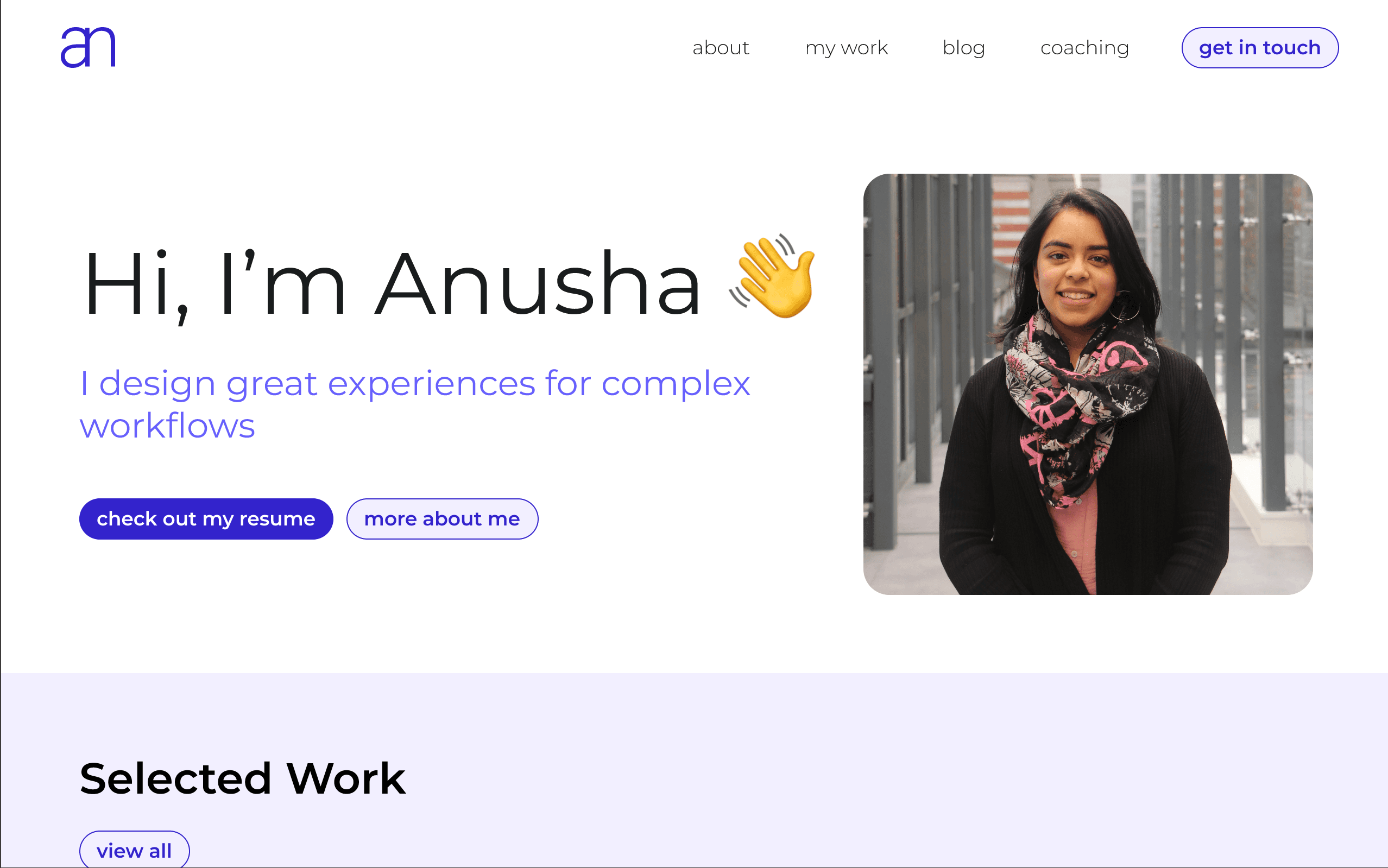
Over time, I realised my portfolio no longer reflected the kind of designer I was growing into. While the work looked polished visually, it didn't fully communicate the thinking, decisions, and impact behind each project. The structure of the site also made it harder for recruiters to quickly understand my experience, and overall the website lacked a strong sense of personality and differentiation in an increasingly competitive UX space.
Over time, I realised my portfolio no longer reflected the kind of designer I was growing into. While the work looked polished visually, it didn't fully communicate the thinking, decisions, and impact behind each project. The structure of the site also made it harder for recruiters to quickly understand my experience, and overall the website lacked a strong sense of personality and differentiation in an increasingly competitive UX space.
Objectives & Success Metrics
Objectives & Success Metrics
1
Communicate domain expertise immediately
Communicate domain expertise immediately
Success Metric
Success Metric
Users can recognise my specialisation (designer for complex workflows) within 20 seconds
Users can recognise my specialisation (designer for complex workflows) within 20 seconds
Why it matters
Why it matters
Hiring managers scan portfolios quickly - if they can't find relevant domain experience fast, they bounce
Hiring managers scan portfolios quickly - if they can't find relevant domain experience fast, they bounce
2
Ship fast using AI tools
Ship fast using AI tools
Success Metric
Success Metric
Improve delivery times from 2-3 months to 3 weeks
Improve delivery times from 2-3 months to 3 weeks
Why it matters
Why it matters
AI tools are reshaping how we design, enabling faster iteration and quicker decisions.
AI tools are reshaping how we design, enabling faster iteration and quicker decisions.
3
Showcase process over polish
Showcase process over polish
Success Metric
Success Metric
Average 2 minutes engagement on case study pages, indicating strong interest in content
Average 2 minutes engagement on case study pages, indicating strong interest in content
Why it matters
Why it matters
Demonstrates strategic thinking and decision-making, not just visual design skills
Demonstrates strategic thinking and decision-making, not just visual design skills
Research & Discovery
Research & Discovery
🔍 Portfolio Benchmarking
🔍 Portfolio Benchmarking
Analysed 10+ UX designer portfolios across seniority levels and industries
Top portfolios had a clearly defined problem statement, strong design process, clear iterations and easy-to-follow storytelling
Portfolios with specific domain expertise (e.g., 'Healthcare UX Designer') had clearer positioning than generalists
Analysed 10+ UX designer portfolios across seniority levels and industries
Top portfolios had a clearly defined problem statement, strong design process, clear iterations and easy-to-follow storytelling
Portfolios with specific domain expertise (e.g., 'Healthcare UX Designer') had clearer positioning than generalists
🎯 Positioning Research
🎯 Positioning Research
Hiring managers prioritise strategic thinking and problem-solving over purely visual execution
Strong portfolios communicate impact clearly through outcomes, decisions, and measurable results
Recruiters often spend less than 5 minutes reviewing a portfolio, making clarity and hierarchy critical
Hiring managers prioritise strategic thinking and problem-solving over purely visual execution
Strong portfolios communicate impact clearly through outcomes, decisions, and measurable results
Recruiters often spend less than 5 minutes reviewing a portfolio, making clarity and hierarchy critical
Key Decisions & Product Direction
Key Decisions & Product Direction
Based on insights from the research and discovery stage, I made strategic decisions about positioning, structure, and execution.
Based on insights from the research and discovery stage, I made strategic decisions about positioning, structure, and execution.
1
Lead with domain expertise, not generic designer branding
Lead with domain expertise, not generic designer branding
I want to specialise in complex workflows, so this has to be clear straight away on the landing page. Generic taglines will risk the hiring manager leaving the portfolio immediately, before they even get to the case studies.
I want to specialise in complex workflows, so this has to be clear straight away on the landing page. Generic taglines will risk the hiring manager leaving the portfolio immediately, before they even get to the case studies.
2
Use AI for execution speed, keep strategy human
Use AI for execution speed, keep strategy human
In a rapidly evolving design landscape shaped by AI, staying ahead of emerging tools and workflows is essential to making informed, future-ready design decisions.
In a rapidly evolving design landscape shaped by AI, staying ahead of emerging tools and workflows is essential to making informed, future-ready design decisions.
3
Personality is differentiating
Personality is differentiating
The personality creates an immediate impression of a designer who is both professional and empathetic, balancing credibility with a human, user-centred tone.
The personality creates an immediate impression of a designer who is both professional and empathetic, balancing credibility with a human, user-centred tone.
Information Architecture
Information Architecture

Home Page
Home Page
Clear value proposition quickly signals my speciality to hiring managers
Featured projects to give a shortcut to my strongest evidence
What I bring to the table to give an immediate snapshot of core strengths
Clear value proposition quickly signals my speciality to hiring managers
Featured projects to give a shortcut to my strongest evidence
What I bring to the table to give an immediate snapshot of core strengths
About
About
My story to explain why I became a UX designer
Explain how I solve problems and what guides my design decisions
Highlight my broader involvement in UX beyond my job
My story to explain why I became a UX designer
Explain how I solve problems and what guides my design decisions
Highlight my broader involvement in UX beyond my job
My Work
My Work
Insight gathering to inform decisions
Highlight key design decisions & the reasoning
Present the final design and how it addresses pain points
Outcomes delivered by the solution
Insight gathering to inform decisions
Highlight key design decisions & the reasoning
Present the final design and how it addresses pain points
Outcomes delivered by the solution
Blog
Blog
Clear tags help users find relevant content quickly
Supports both content discovery and quick access to specific insights
Easy-to-scan structure with searchable content
Clear tags help users find relevant content quickly
Supports both content discovery and quick access to specific insights
Easy-to-scan structure with searchable content
Coaching
Coaching
Flow from services and process to trust-building content
Testimonials reinforce credibility
FAQs reduce friction by answering common questions
Flow from services and process to trust-building content
Testimonials reinforce credibility
FAQs reduce friction by answering common questions
Contact
Contact
Multiple contact options without overwhelming users
Single-focus layout reduces friction and encourages quick contact
Minimal supporting content keeps attention on the primary conversion goal
Multiple contact options without overwhelming users
Single-focus layout reduces friction and encourages quick contact
Minimal supporting content keeps attention on the primary conversion goal
Design System
Design System
I explored different design directions to shape the final look, structure, and feel of the portfolio.
I explored different design directions to shape the final look, structure, and feel of the portfolio.
Colour Palette Exploration
Colour Palette Exploration
I used Google Stitch to quickly explore and refine colour directions, helping me build a more consistent and scalable visual system early in the design process.
I used Google Stitch to quickly explore and refine colour directions, helping me build a more consistent and scalable visual system early in the design process.
V1
Too corporate - gives impression of company
V2
Gives impression of a non-tech small business
V3
Good balance between professional and modern
Typography Exploration
Typography Exploration
V1
Heading
Body
Label
Little personality shows through
V2
Heading
Body
Label
Too editorial and not good for a11y
V3
Heading
Body
Label
Clean geometry and easy readability
Spacing System
Spacing System
Chose a 4px base grid to create consistent spacing, improve alignment, and ensure scalability
Scale: 4/8/12/16/24/32/48/64/96/128px
Section padding: 72px (normal) and 160px L-R (paragraph sections)
Component spacing: 16px (tight), 24px (normal), 48px (loose)
Chose a 4px base grid to create consistent spacing, improve alignment, and ensure scalability
Scale: 4/8/12/16/24/32/48/64/96/128px
Section padding: 72px (normal) and 160px L-R (paragraph sections)
Component spacing: 16px (tight), 24px (normal), 48px (loose)
Component Patterns
Component Patterns
Buttons
Button
Button
Cards
Method
Description
Method
Description
Visual Explorations with Figma Make
Visual Explorations with Figma Make
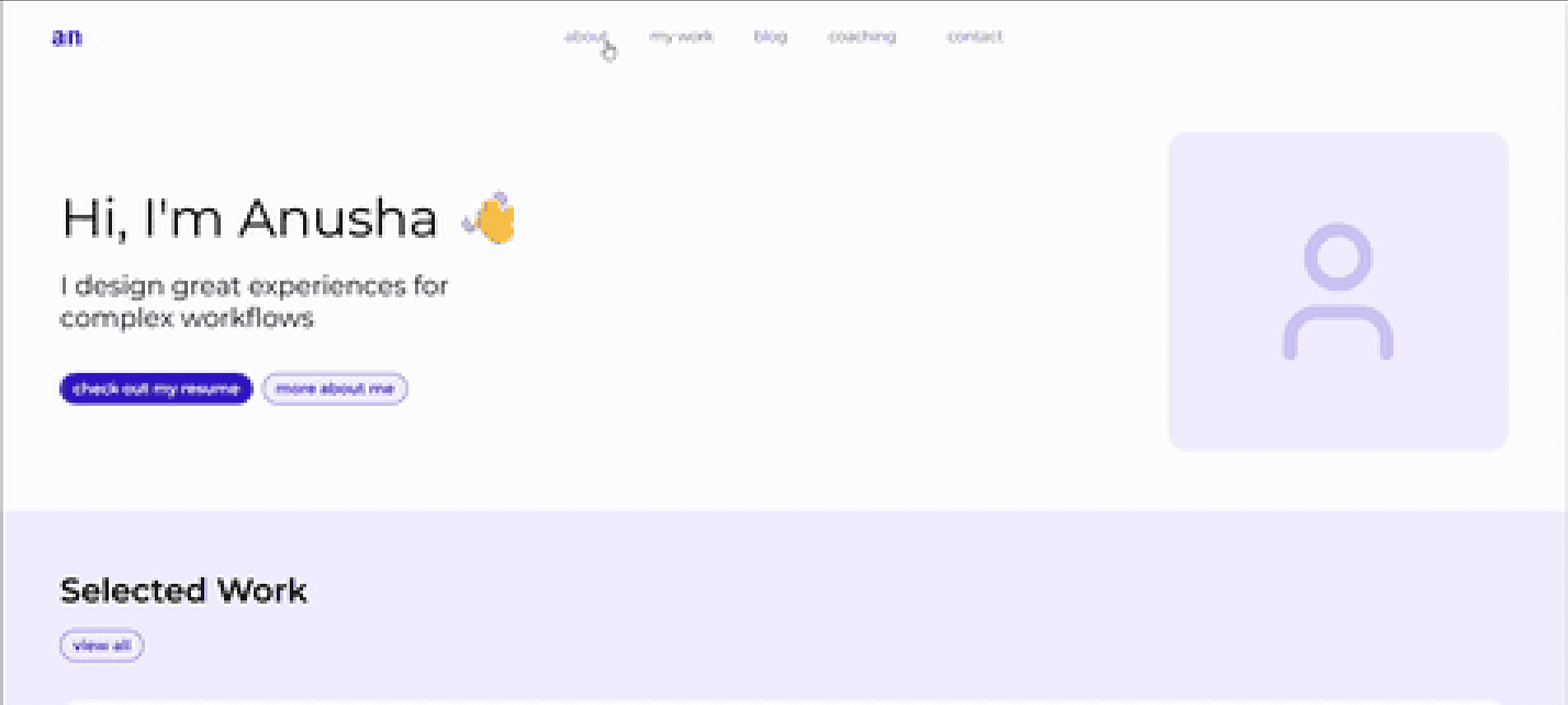
Once the design system was in place, I used Figma Make to test different layout approaches and explore how the components could be structured across screens.
Once the design system was in place, I used Figma Make to test different layout approaches and explore how the components could be structured across screens.
Option 1
This layout follows the established design language closely, maintaining consistency in typography, spacing, and component usage. However, it is overly text-heavy, which reduces scannability and makes it harder for users to quickly grasp key information or hierarchy at a glance.
This layout follows the established design language closely, maintaining consistency in typography, spacing, and component usage. However, it is overly text-heavy, which reduces scannability and makes it harder for users to quickly grasp key information or hierarchy at a glance.
Option 2
This direction was more visually striking and created a stronger first impression. However, it remained heavily reliant on text, limiting scannability and increasing cognitive load. The navigation menu was also visually dominant, drawing attention away from the primary content and disrupting the intended visual hierarchy.
This direction was more visually striking and created a stronger first impression. However, it remained heavily reliant on text, limiting scannability and increasing cognitive load. The navigation menu was also visually dominant, drawing attention away from the primary content and disrupting the intended visual hierarchy.
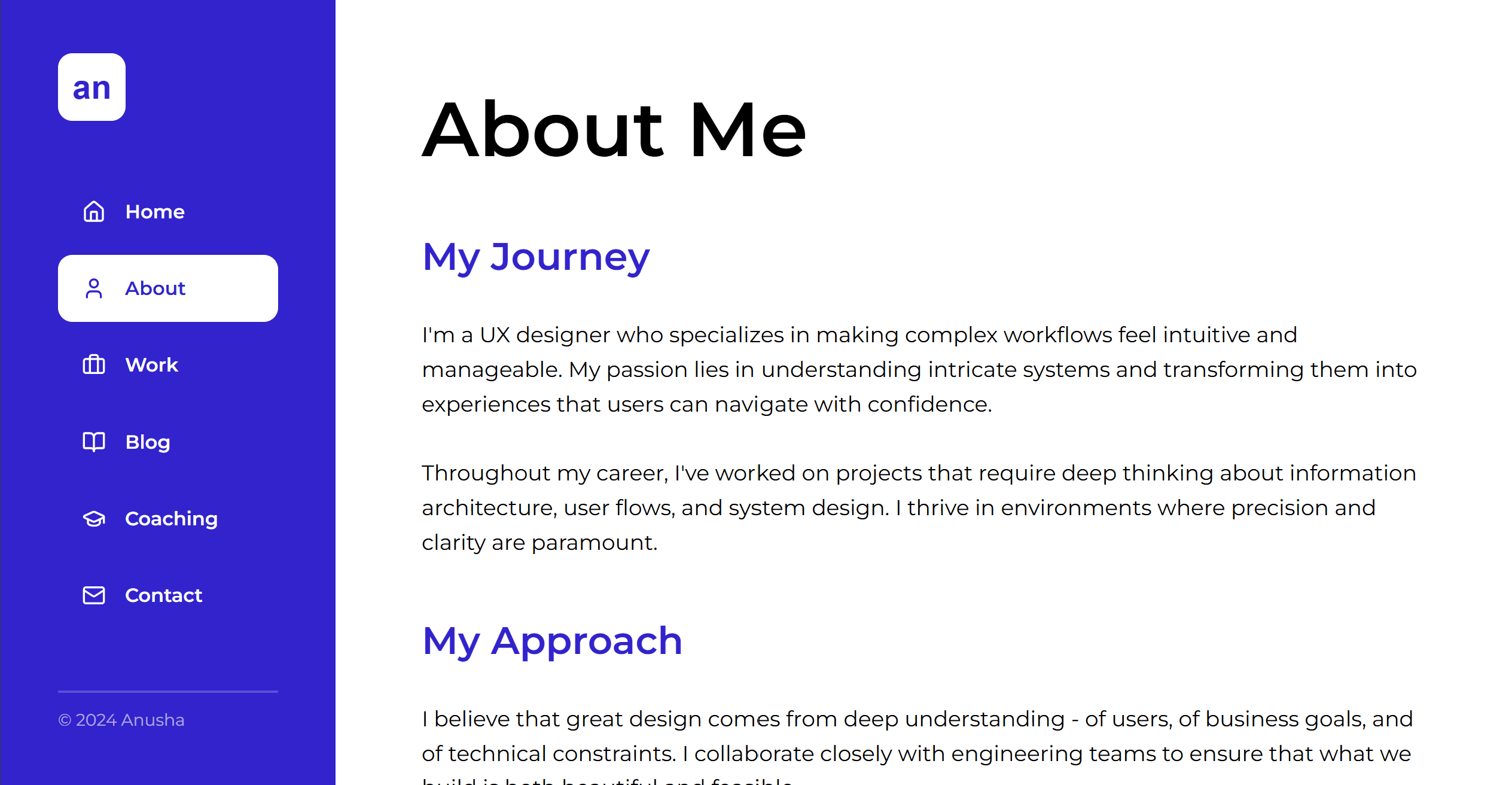
I selected Option 1 as it was most aligned with the visual direction I wanted to achieve, then refined it to reduce text density and create a more visually engaging experience. I also used ChatGPT to help refine the copy, ensuring the tone felt professional yet approachable while keeping the content clear, concise, and easy to scan.
I selected Option 1 as it was most aligned with the visual direction I wanted to achieve, then refined it to reduce text density and create a more visually engaging experience. I also used ChatGPT to help refine the copy, ensuring the tone felt professional yet approachable while keeping the content clear, concise, and easy to scan.
Results & Impact
Results & Impact
1
Communicate domain expertise immediately
Communicate domain expertise immediately
Success Metric
Success Metric
Users can recognise my specialisation (designer for complex workflows) within 20 seconds
Users can recognise my specialisation (designer for complex workflows) within 20 seconds
Outcome
Outcome
5 out of 5 UX peers were able to recognise my specialisation in under 10 seconds
5 out of 5 UX peers were able to recognise my specialisation in under 10 seconds
2
Ship fast using AI tools
Ship fast using AI tools
Success Metric
Success Metric
Improve delivery times from 2-3 months to 3 weeks
Improve delivery times from 2-3 months to 3 weeks
Outcome
Outcome
Reduced shipping time from 2-3 months to 3 weeks by using AI tools to speed up iteration, and decisions
Reduced shipping time from 2-3 months to 3 weeks by using AI tools to speed up iteration, and decisions
3
Showcase process over polish
Showcase process over polish
Success Metric
Success Metric
Average 2 minutes engagement on case study pages, indicating strong interest in content
Average 2 minutes engagement on case study pages, indicating strong interest in content
Outcome
Outcome
Engagement is being tracked in Google Analytics, with more insights to come as data builds - stay tuned!
Engagement is being tracked in Google Analytics, with more insights to come as data builds - stay tuned!
Reflections
Reflections
1
AI tools only work with a clear vision
AI tools only work with a clear vision
I defined the overall vision for how AI would support the experience, focusing on strategy and user flow rather than implementation. AI handled the execution layer, while I concentrated on shaping the UX and ensuring the direction stayed clear and cohesive.
I defined the overall vision for how AI would support the experience, focusing on strategy and user flow rather than implementation. AI handled the execution layer, while I concentrated on shaping the UX and ensuring the direction stayed clear and cohesive.
2
Ship it before it's perfect
Ship it before it's perfect
I could've spent another month polishing, but launching early meant I could get real feedback and iterate. Done is better than perfect, especially for personal projects.
I could've spent another month polishing, but launching early meant I could get real feedback and iterate. Done is better than perfect, especially for personal projects.
3
Process > polish in portfolios
Process > polish in portfolios
Sharing research, iterations, and decision-making does way more to build trust than polished mockups on their own. When people can follow your research, iterations, and decisions, the final design feels more intentional and credible.
Sharing research, iterations, and decision-making does way more to build trust than polished mockups on their own. When people can follow your research, iterations, and decisions, the final design feels more intentional and credible.